

 Deutsch
 English
 Español
 Français
 Italiano
 Nederlands
 Polski
 Português
 Русский
 Svenska
 Chinese
 Magyar
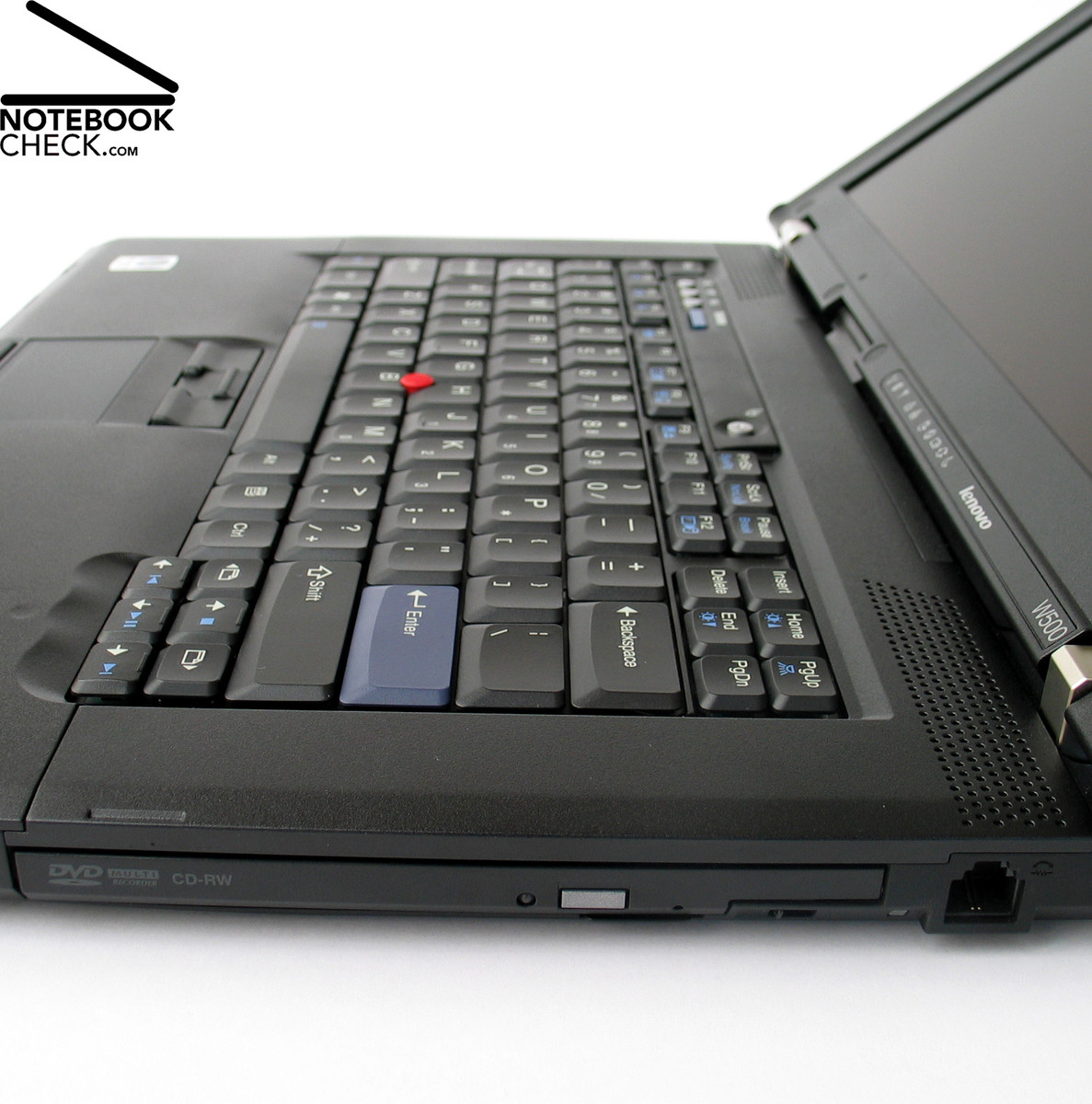
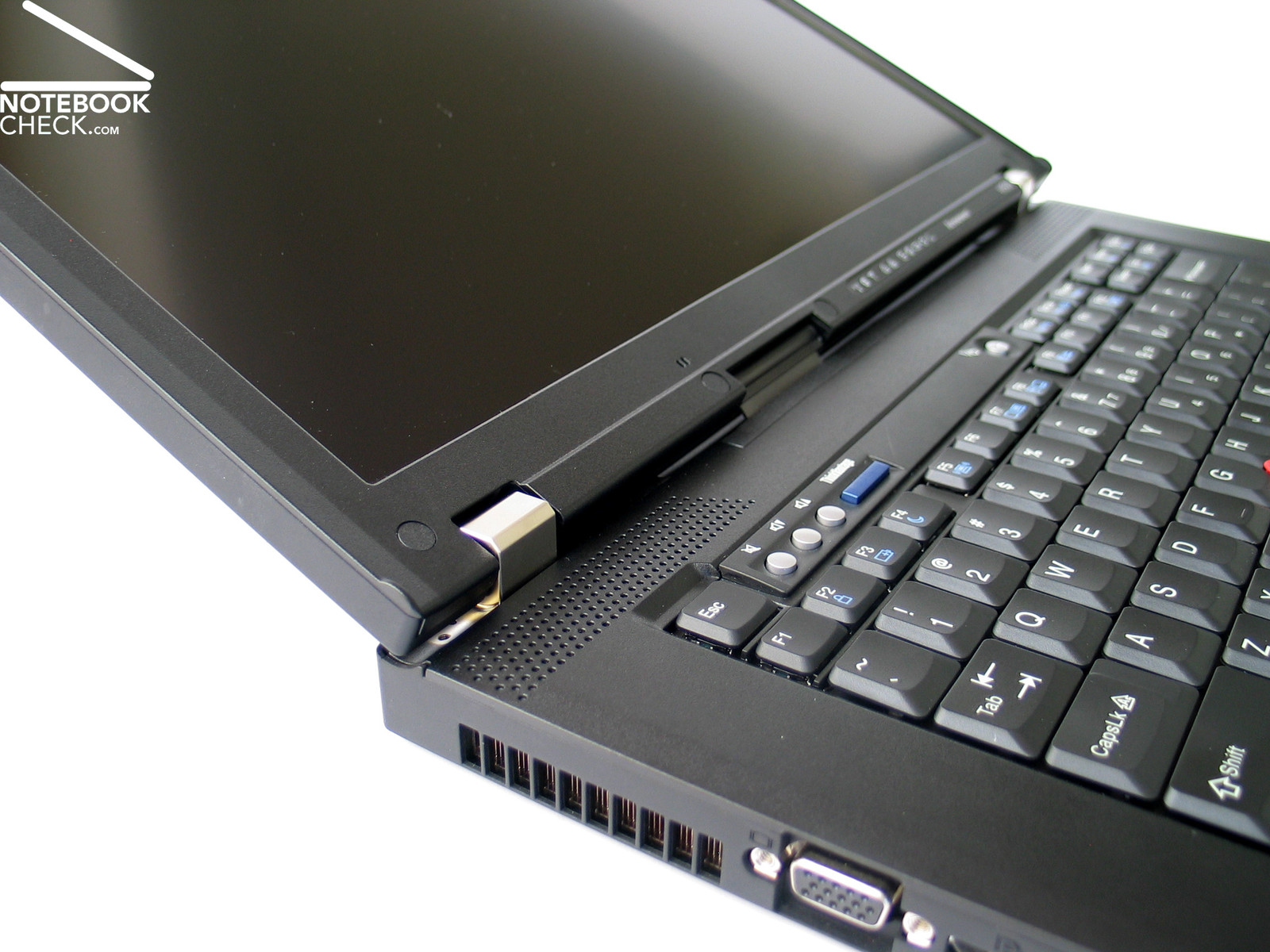
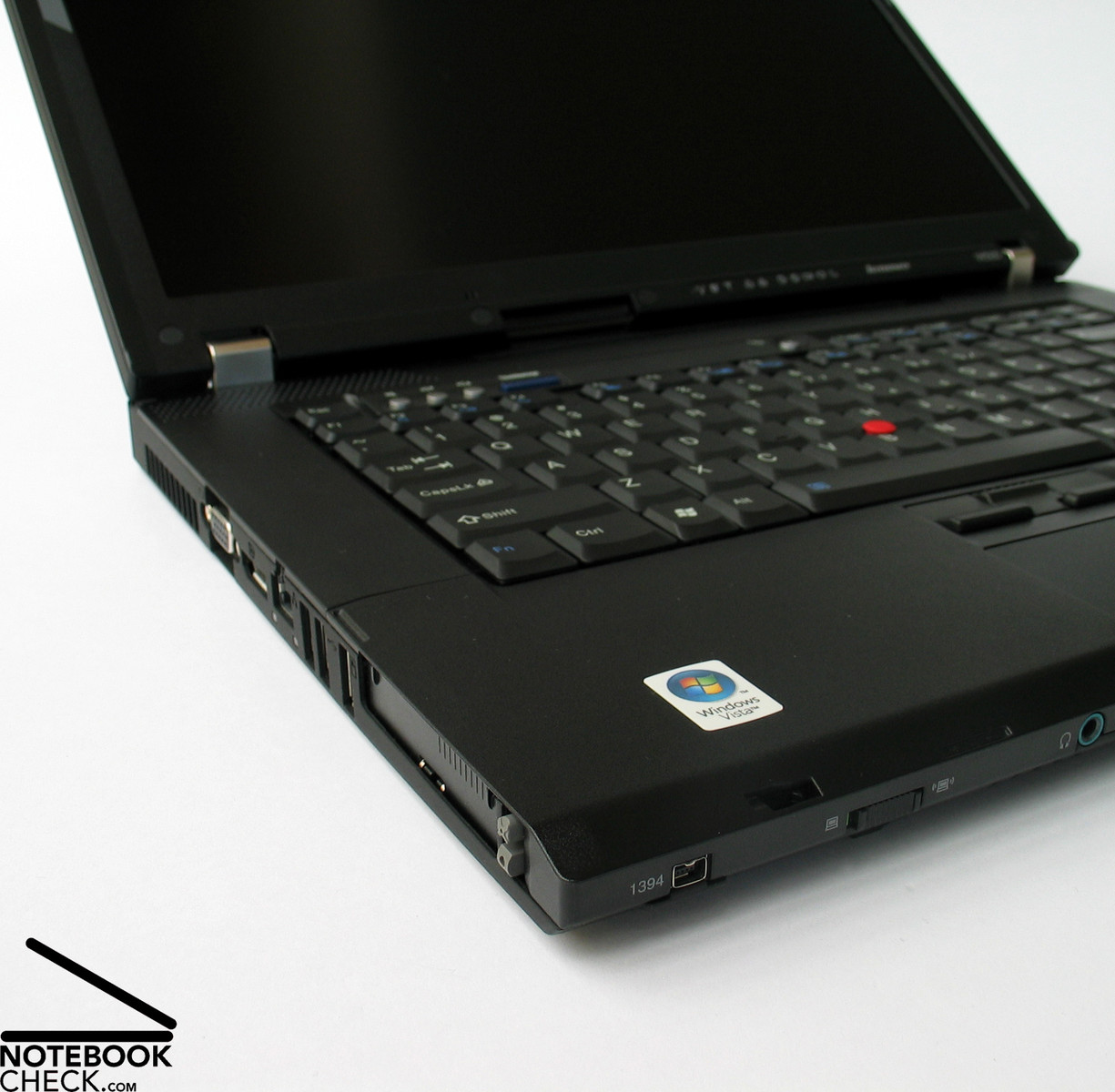
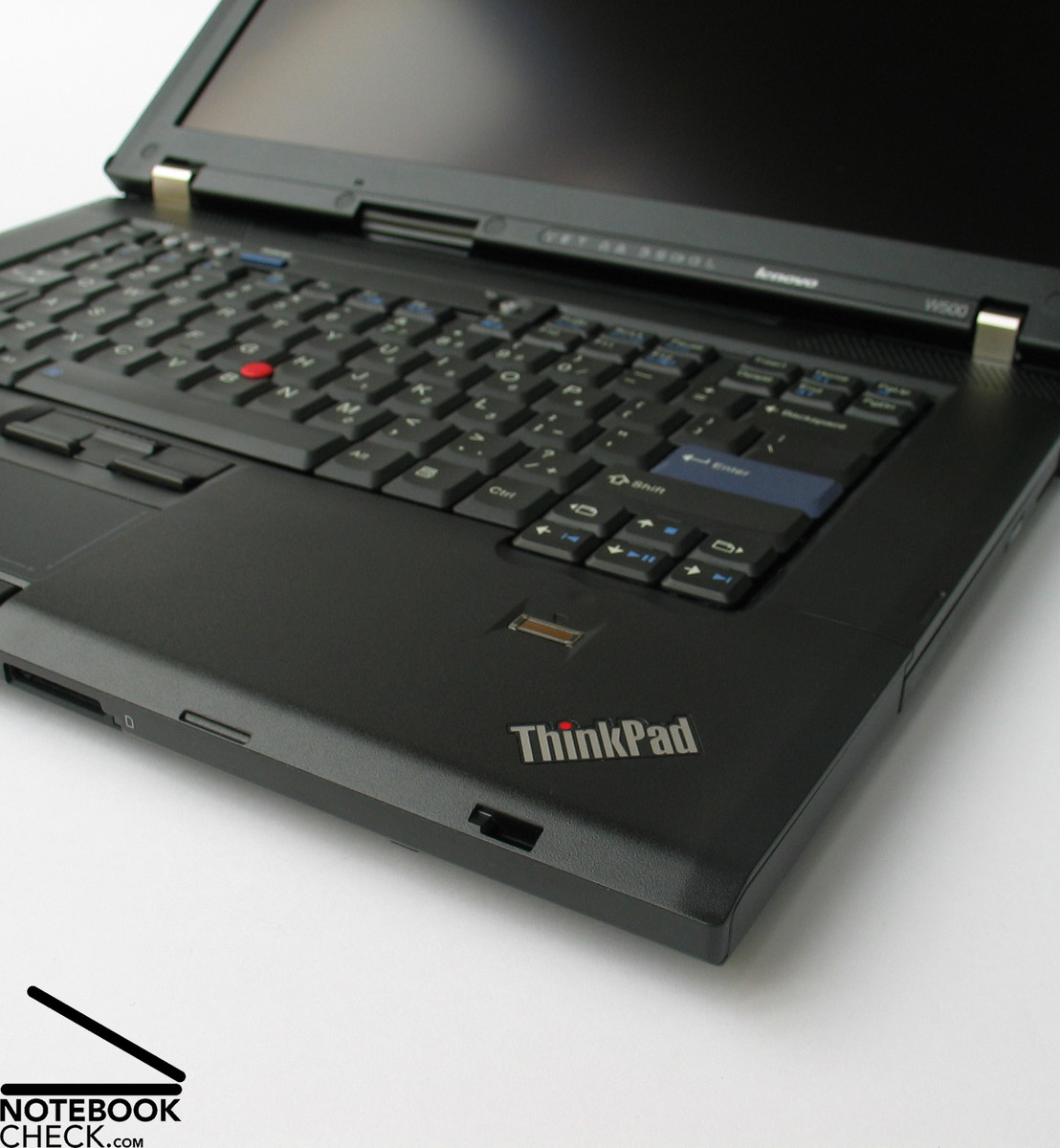
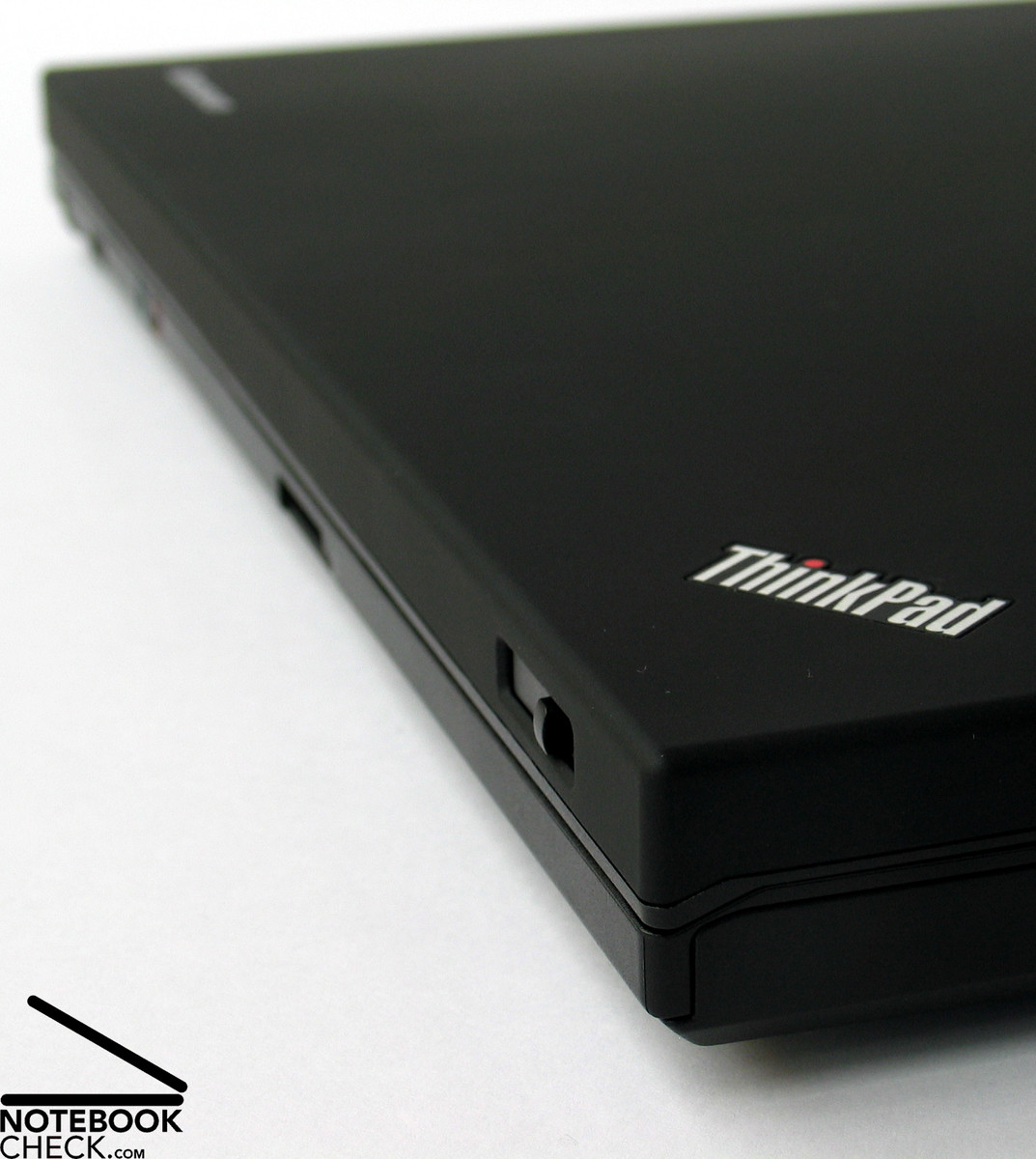
Lenovo Thinkpad W Seri
 İşlemci: Intel Core 2 Duo T9400, Intel Core 2 Extreme QX9300, Intel Core i7 2820QM, Intel Core i7 620M, Intel Core i7 720QM, Intel Core i7 820QM, Intel Core i7 920XM
Grafik kartı: ATI Mobility FireGL V5700, ATI Mobility Radeon HD 3650, NVIDIA Quadro 2000M, NVIDIA Quadro FX 2800M, NVIDIA Quadro FX 3700M, NVIDIA Quadro FX 3800M, NVIDIA Quadro FX 880M
Görüntü: 15.40 inç, 15.60 inç, 17.00 inç, 17.20 inç, 17.30 inç
Ağırlık: 2.7kg, 2.76kg, 2.8kg, 2.9kg, 3.92kg, 4.1kg, 4.14kg, 5kg
Fiyat: 1600, 1800, 2000, 2100, 2300, 2400, 3500, 4300, 5100 euro
Ortalama 38 puan 52 (incelemeden)
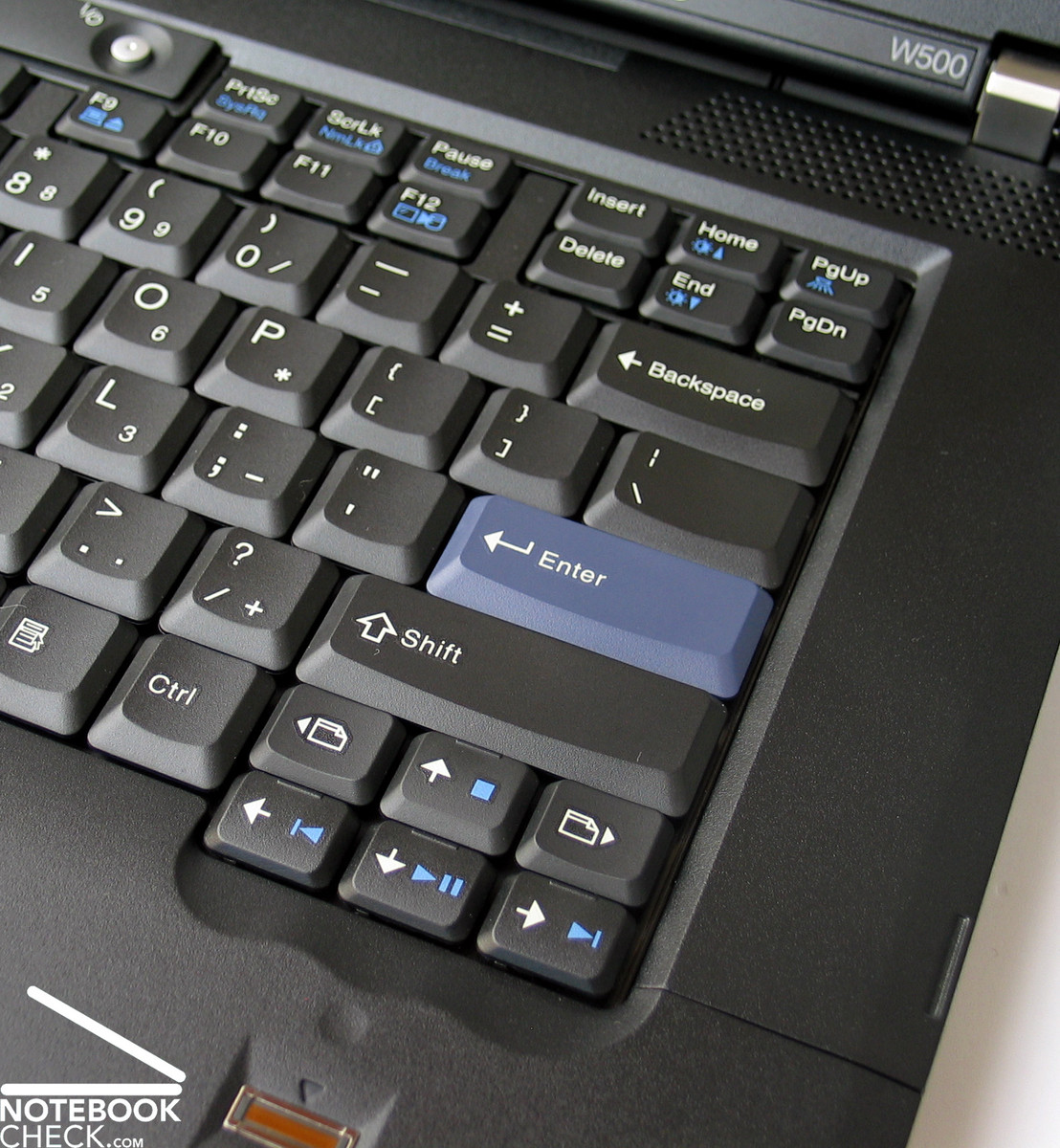
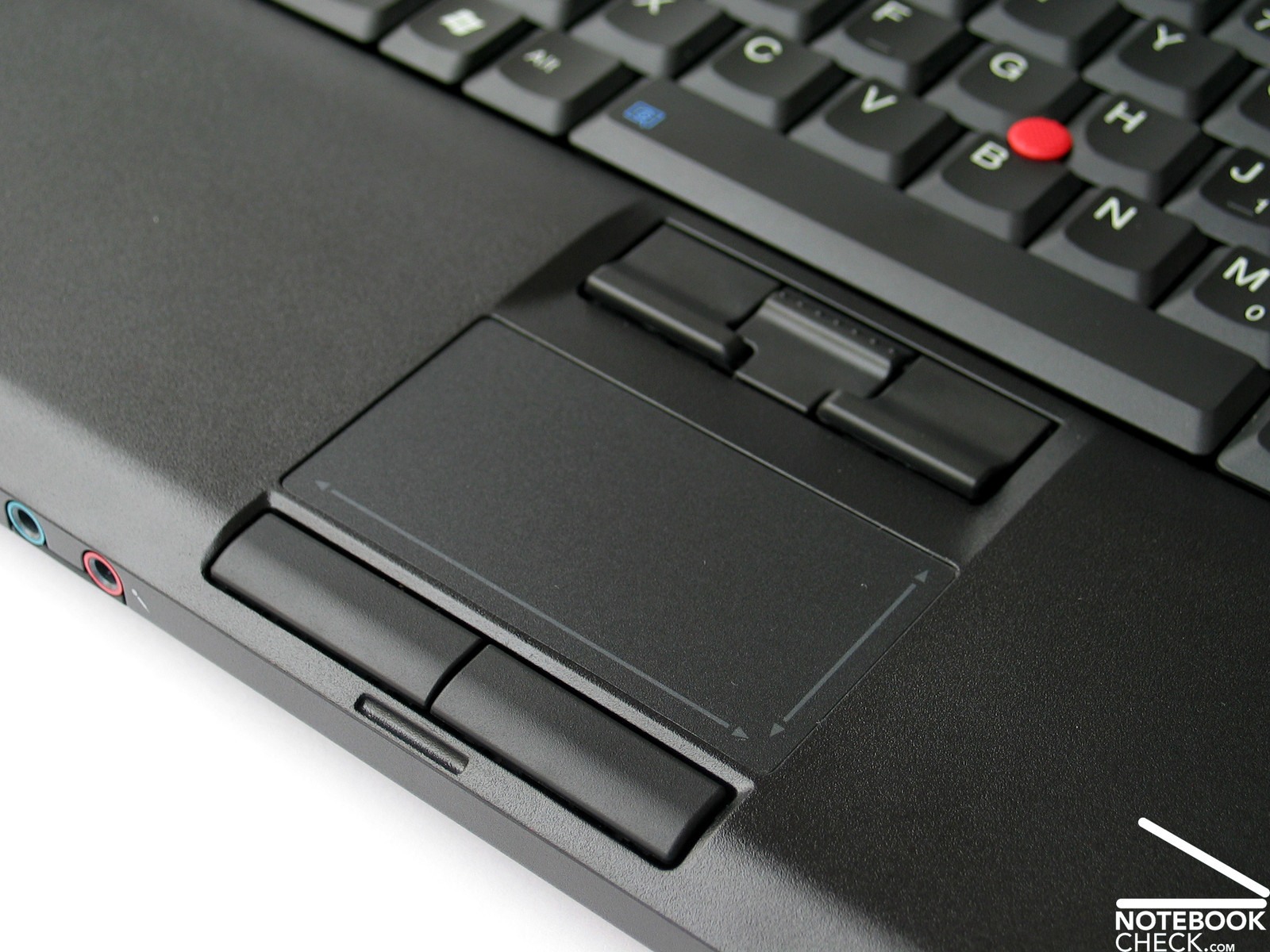
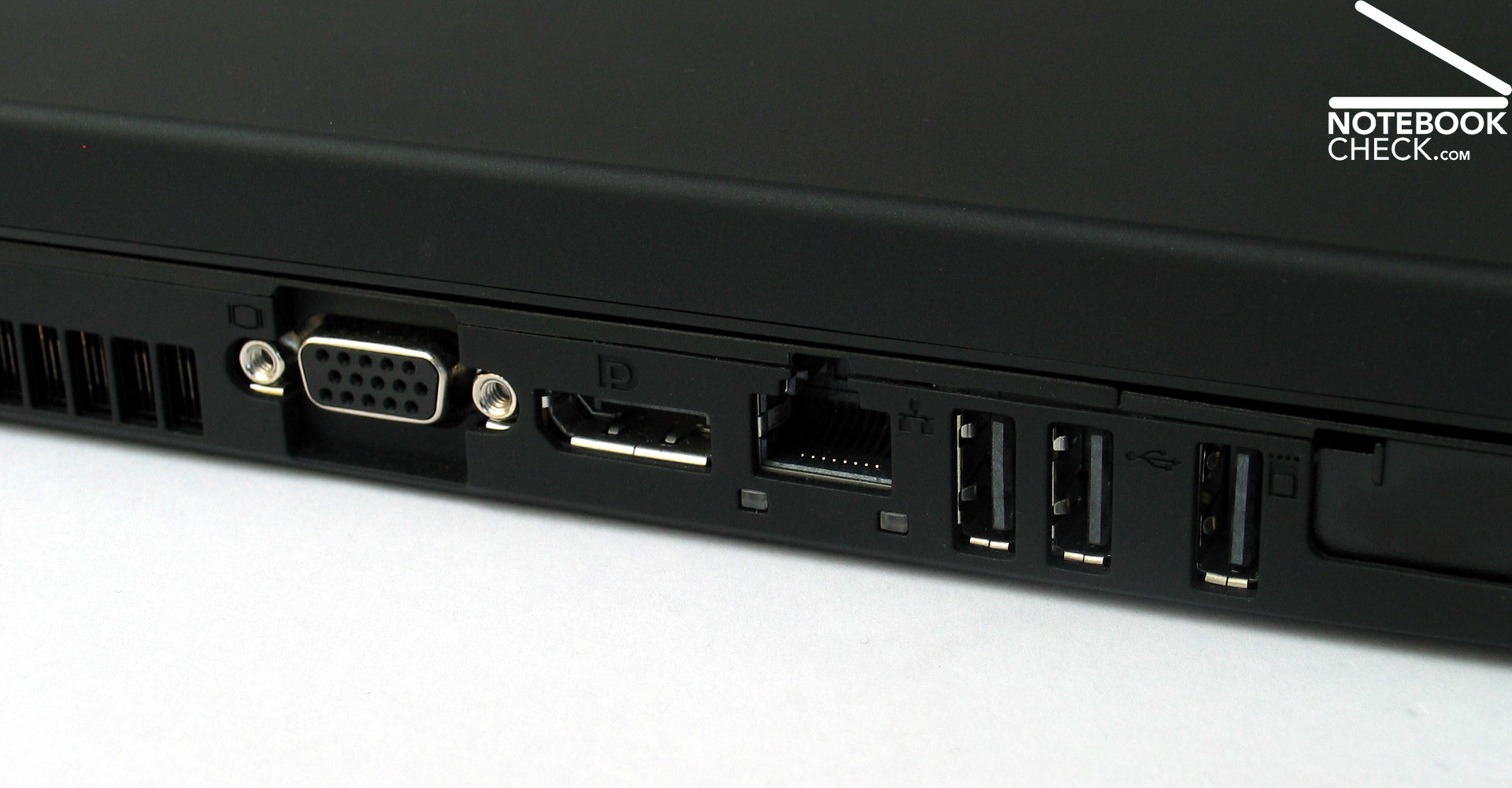
Lenovo Thinkpad W500 2055-51U
Notebook Özellikleri
 Notebook: Lenovo Thinkpad W500 2055-51U
İşlemci: Intel Core 2 Duo T9400
Grafik kartı: ATI Mobility Radeon HD 3650 512 MB
Görüntü: 15.40 inç, 16:10, 1920 x 1200 piksel
Ağırlık: 2.76kg
Fiyat: 2000 euro
Bağlantılar: Lenovo anasayfa
Pricecompare
Ortalama Puan:
İncelemeler
Pure performance. Until now the Thinkpad T-Model from Lenovo, which was enhanced after the short ending -p, set the standard for professional users with high performance demands. After a complete overhaul of the Lenovo product lineup, coincident with the launch of the Intel Centrino 2, Lenovo is now starting a few new notebook series. Among them are the new mobile workstations with the labels W500 and W700, which are meant to replace the Thinkpad Txxp models.
Yabancı İncelemeler
Kaynak: BCW - Business Computing World
 EN→TR Archive.org version
Lenovo has engineered a fantastic breed of mobile workstation with the ThinkPad W500. No other PC manufacturer has a mobile workstation that delivers the power, performance and productivity tools that Lenovo has packed into this beast. The mobile workstation flat out delivers the performance demanding users require at the desk as well as in the field, in a solution that’s comfortably portable.
Tek İnceleme, online bulunabilirlik, Orta, Tarih: 10/01/2009
performans: 80%
Kaynak: Notebookcheck
 DE→TR Archive.org version
Tek İnceleme, online bulunabilirlik, Uzun, Tarih: 11/04/2008
Puanlama: Total Puan: 85% performans: 89% görüntü: 75% mobilite: 76% işcilik: 88% ergonomi: 89% emilim: 88%
Kaynak: Notebookcheck
DE→TR Archive.org versionTek İnceleme, online bulunabilirlik, Uzun, Tarih: 09/16/2008
Puanlama: görüntü: 50% işcilik: 80%
Lenovo Thinkpad W700
Notebook Özellikleri
 Notebook: Lenovo Thinkpad W700
 İşlemci: Intel Core 2 Extreme QX9300
Grafik kartı: NVIDIA Quadro FX 3700M 1024 MB
Görüntü: 17.00 inç, 16:10, 1920 x 1200 piksel
Ağırlık: 4.14kg
Fiyat: 3500 euro
Bağlantılar: Lenovo anasayfa Thinkpad W700 (Model)
Pricecompare
Ortalama Puan:
İncelemeler
Size matters.Not only in the gaming sector but also in professional CAD/CAM applications does performance play an important role. Obviously, the performance-independent expectations of users on an adequate notebook differs considerably from gaming devices, which is why the leading business notebook manufacturers have their own series for this target group in their repertoire. The Thinkpad W700 with a Quad-Core CPU and Quadro FX 3700 graphic is the flagship device from Lenovo.
Yabancı İncelemeler
Kaynak: Hardware Zone
EN→TR Archive.org versionWe've been dying to get our hands on the dual-screen version of the Lenovo ThinkPad W700 for ages, but alas, this was not meant to be as Lenovo didn't have appropriate units available for this region. With that said, the single screen version shares pretty much the same specs and based on what we've been testing, the machine actually does deliver the goods. Hardware performance was top notch, and the build and feel of the unit was excellent. Retailing at S$8000, the W700 is not one for the faint hearted consumer. Then again, we really only expect businesses that require the use of heavy duty machines for graphical design to acquire these powerful mobile workstations.
90, Preis 50, Leistung 80, Verarbeitung 80
Tek İnceleme, online bulunabilirlik, Uzun, Tarih: 05/05/2009
Puanlama: Total Puan: 90% fiyat: 50% performans: 80% işcilik: 80%
Kaynak: Comp Reviews
EN→TR Archive.org versionThe Lenovo ThinkPad W700 is certinaly not a system that many people will be looking at for home use. This thing is designed as a mobile workstation and it is very well suited to this task. Features such as the built-in Wacom tablet and color calibration are not vital to home users but can be critical to designers on the go. The system provides outstanding performance thanks to its high end components. All of this comes with a very high price tag that will make most consumers look elsewhere.
4 von 5, Leistung exzellent, Display exzellent, Preis sehr schlecht
Tek İnceleme, online bulunabilirlik, Kısa, Tarih: 01/14/2009
Puanlama: Total Puan: 80% fiyat: 30% performans: 95% görüntü: 95%
Kaynak: Techradar
EN→TR Archive.org versionThe Lenovo W Series is a range of laptops aimed at the workstation market, with the Lenovo ThinkPad W700 (£3053 inc. VAT) being the second model in the range. This machine is a hulking 4.3kg desktop replacement that has been designed with the professional photographer in mind. A workstation needs a number of different factors in order to work properly. If high-end and demanding tasks are your stock in trade, the Lenovo ThinkPad W700 is currently the only real workstation worth considering.
4 von 5, Leistung gut, Display ausgezeichnet
Tek İnceleme, online bulunabilirlik, Kısa, Tarih: 01/08/2009
Puanlama: Total Puan: 80% performans: 80% görüntü: 95%
Kaynak: Tech Advisor
EN→TR Archive.org versionThe ThinkPad W700 may look understated - and it's a bit of a kitchen-sink approach to computing - but it's a top-flight notebook. For on-the-go graphics artists, or those looking for the ultimate mobile workstation, it's hard to beat.
4 von 5
Tek İnceleme, online bulunabilirlik, Orta, Tarih: 12/19/2008
Puanlama: Total Puan: 80%
Kaynak: PC Mag
EN→TR Archive.org versionThe Lenovo ThinkPad W700 delivers a ton of wow features, including an internal color calibrator, a palm-rest digitizer, and an option for a secondary screen.
4.5 von 5, Leistung ausgezeichnet
Tek İnceleme, online bulunabilirlik, Uzun, Tarih: 12/16/2008
Puanlama: Total Puan: 90% performans: 95%
Kaynak: Geek.com
EN→TR Archive.org versionSo what mobile workstation should you buy? If you scroll down the list, you’ll see that the ThinkPad W700 and the EliteBook 8730w are very evenly matched. Obviously you’ll have to weight the individual categories on your own (price is probably more important to you than power brick size) but it is very hard to declare one system the clear victor in this deathmatch. Each company clearly has a good idea what the other is up to and the EliteBook takes a lot of design cues from the ThinkPad, like the dual navigation, exceptional keyboard, oversize hinges, and the super clean interior (though the 8730w has predecessors at HP).
Preis gut
Kıyaslama, online bulunabilirlik, Uzun, Tarih: 11/18/2008
Puanlama: fiyat: 80%
Kaynak: Laptop Logic
EN→TR Archive.org versionWhile nicknamed around the office as "world's largest laptop" the W700 really packs some power. This laptop can easily substitute your desktop and its much easier to move around. You can't really travel with this thing but for a price around $3000 it might be a good idea to keep this puppy locked away safe at home anyway. The W700 is one heck of a powerhouse with a great selection of features. While it is heavy and large in size and will take a nice chunk out of your pockets, if you are looking for a top of the line computer for visual and graphic aid, this is the laptop for you. The 17 inch Lenovo w700 is a great machine and worth the money.
(von 5): 3.3, Ausstattung 4, Mobilität 1.5, Leistung 4, Preis sehr schlecht
Tek İnceleme, online bulunabilirlik, Orta, Tarih: 11/10/2008
Puanlama: Total Puan: 66% fiyat: 30% performans: 80% özellikler: 80% mobilite: 30%
Kaynak: Geek.com
EN→TR Archive.org versionThe W700 is something completely new to the ThinkPad line, while being a natural extension of models like the T61p. Sooner or later Lenovo had to come out with a 17-inch model and it’s nice to see that they did it right the first time. This means a spare-no-expense product, but the W700 isn’t for the general consumer, or even for most professionals. It is for a range of demanding users, from content creators to engineers who need serious power and occasional mobility. Even within the small subset of prospective buyers we can see segmentation as the need of someone buying a $3000 W700 will be somewhat different than the person buying (most likely expensing) a $6000 model, but the processor, graphics, and storage options make a versatile product. Overall, it’s a lot of technology to stuff into a notebook and it’s one of a very small group of elite workstation replacements to arrive this year.
Tek İnceleme, online bulunabilirlik, Orta, Tarih: 10/23/2008
Kaynak: Laptop Mag
EN→TR Archive.org versionLike its dual-core twin, the quad-core Lenovo ThinkPad W700 incorporates several innovative features, but its Q9300 processor is the most impressive. It will give professional digital artists or multimedia hobbyists the power to crunch data faster on a mobile platform faster than ever before. Although the $4,949 price tag stings a little in the current economy, you can configure the machine with lower-end specs, such as an Nvidia FX 2700M GPU and a single 160GB HDD, bringing the price to $3,729. But the Lenovo ThinkPad W700’s quad-core processor has all the power and amenities you’ll need to handle your graphics workload, while giving you a glimpse at the future of mobile computing.
4 von 5, Leistung sehr gut, Display gut, Preis schlecht
Tek İnceleme, online bulunabilirlik, Uzun, Tarih: 10/22/2008
Puanlama: Total Puan: 80% fiyat: 40% performans: 90% görüntü: 80%
Kaynak: Hot Hardware
EN→TR Archive.org versionLenovo set out to build the ultimate mobile graphics workstation with the ThinkPad W700. And in comparison to every other similarly classed notebook we could find, we think they have succeeded. No other notebook comes close to offering the level of raw performance, pixel precision, and configuration flexibility which is offered on the W700. No matter which competitor you look at, be it Apple, Dell, HP, all of them have some sort of drawback which keeps them from truly competing with the Thinkpad W700. When this model hits the market in the next few weeks, Lenovo will have a sizable technological lead over competing mobile workstations -- one which we don't think will be diminished for quite some time.
Leistung ausgezeichnet, Preis schlecht, Mobilität schlecht
Tek İnceleme, online bulunabilirlik, Çok Uzun, Tarih: 10/13/2008
Puanlama: fiyat: 40% performans: 95% mobilite: 40%
Kaynak: Notebookreview.com
EN→TR Archive.org versionIn my not so distant professional past, I worked as a graphic designer creating corporate marketing collateral. I was often on the road, working face-to-face with clients to put the finishing touches on print and web projects, and hence I speak from experience in saying that attempting to do any measure of serious design work on most notebooks – even larger desktop replacement models – is usually an exercise in frustration. Questionable displays, limited storage space, and poor processor responsiveness were my day to day headaches back then. The fact that the ThinkPad W700 squarely addresses every one of these concerns – and several others – will likely make it the workstation that many mobile graphics pros have been waiting for, even with its heavy price tag.
Leistung gut, Verarbeitung gut, Display schlecht, Preis schlecht
Kullanıcı Görüşü, online bulunabilirlik, Uzun, Tarih: 10/08/2008
Puanlama: fiyat: 40% performans: 80% görüntü: 40% işcilik: 80%
Kaynak: Laptop Mag
EN→TR Archive.org versionIn the ThinkPad W700, Lenovo has incorporated some truly innovative features, but we’re not entirely convinced of their practicality. A built-in digitizer is a step closer to a dream that professional photographers and designers have had for years, but while it would do the trick for light work, we don’t see it replacing a larger tablet for everyday use. Regardless, if you’re into digital content creation, CAD/CAM engineering, or professional photo editing, the Lenovo ThinkPad W700 workstation—while not cheap, at $3,802—has all the power and amenities you’ll need to handle your graphics workload.
4 von 5, Leistung ausgezeichnet, Preis schlecht, Mobilität mangelhaft
Tek İnceleme, online bulunabilirlik, Orta, Tarih: 10/01/2008
Puanlama: Total Puan: 80% fiyat: 40% performans: 95% mobilite: 50%
Kaynak: Computer Shopper
EN→TR Archive.org versionArtsy types and video editors almost always go for Macs. But those who need to rely on a PC will find just what they need in a surprising brand: Lenovo. The company bills the ThinkPad W700 as a “portable workstation” with a full-size keyboard, color-accurate screen, powerful processor and GPU, and a built-in digitizer. With its color-calibrated screen, optional CompactFlash slot, and built-in pen/digitizer combo, the W700 is a traveling photographer’s dream machine.
8.5 von 10, Leistung gut, Display exzellent, Mobilität mäßig
Tek İnceleme, online bulunabilirlik, Kısa, Tarih: 10/01/2008
Puanlama: Total Puan: 85% performans: 80% görüntü: 95% mobilite: 60%
Kaynak: c't - 23/09
Kıyaslama, online bulunabilirlik, Uzun, Tarih: 11/01/2009
Puanlama: performans: 85% özellikler: 90% görüntü: 80% ergonomi: 90% emilim: 90%
Kaynak: Chip.de - 8/09
Tek İnceleme, , Çok Kısa, Tarih: 07/01/2009
Puanlama: Total Puan: 80% fiyat: 60%
Kaynak: Notebookcheck
DE→TR Archive.org versionTek İnceleme, online bulunabilirlik, Uzun, Tarih: 03/26/2009
Puanlama: Total Puan: 89% fiyat: 98% performans: 63% görüntü: 84% mobilite: 63% işcilik: 88% ergonomi: 84% emilim: 89%
Lenovo Thinkpad W500 4061-2JG
Notebook Özellikleri
 Notebook: Lenovo Thinkpad W500 4061-2JG
İşlemci: Intel Core 2 Duo T9400
Grafik kartı: ATI Mobility FireGL V5700 512 MB
Görüntü: 15.40 inç, 16:10, 1920 x 1200 piksel
Ağırlık: 2.76kg
Fiyat: 2000 euro
Bağlantılar: Lenovo anasayfa
Pricecompare
Ortalama Puan:
İncelemeler
W500, Bölüm 2 Test sürümünü inceledikten sonra artık tamamen hazır sürümünü inceleme fırsatını bulduğumuz W500, Core 2 Duo T9400 işlemci ve ATI FıreGL V5700 grafik kartına sahip. Yazının devamında Lenovonun bu 15 inçlik çalışma istasyonunun diğer rakiplerine karşı nasıl bir performans gösterdiğini okuyacaksınız.
Yabancı İncelemeler
Kaynak: PC Pro
EN→TR Archive.org versionLenovo has been prolific of late producing, like a stage magician, a seemingly endless string of laptops from its copious pockets. Last month we had the company's first netbook - the IdeaPad S10e - and the excellent, low-cost ThinkPad SL500, and before that we had the rather more swanky 15in T500 with its high resolution 1,680 x 1,080 screen and switchable dual graphics. Now it's the turn of the W500, which to look at is as inseperable from the T500 as an identical twin. Both bear the same dimensions at 356 x 255 x 35mm, both weigh almost exactly the same - to within a few grammes - and both have precisely the same chassis. A super-fast workstation laptop with a great screen - but it's only worth buying if you need the ISV certification.
83, Display 90
Tek İnceleme, online bulunabilirlik, Orta, Tarih: 02/01/2009
Puanlama: Total Puan: 83% görüntü: 90%
Lenovo ThinkPad W700ds
Notebook Özellikleri
 Notebook: Lenovo ThinkPad W700ds
İşlemci: Intel Core 2 Extreme QX9300
Grafik kartı: NVIDIA Quadro FX 3700M
Görüntü: 17.00 inç, 16:10, 1920 x 1200 piksel
Ağırlık: 5kg
Fiyat: 5100 euro
Bağlantılar: Lenovo anasayfa ThinkPad W700ds (Model)
Pricecompare
Ortalama Puan:
Yabancı İncelemeler
Kaynak: PC World
EN→TR Archive.org versionThe second screen doesn't add much functionality, and it consumes an inordinate amount of battery life. It's a pretty big waste of money, too--it adds $420 to the cost of an otherwise-comparable W700. For that money, you could buy a 24-inch desktop display, connect it to a W700, and enjoy a desktop that stretches from here to Sunday. The W700 is a well-designed desktop replacement notebook; the W700ds adds nothing that I couldn't get in another, better form, for less money.
77, Leistung 76, Ausstattung 85
Tek İnceleme, online bulunabilirlik, Orta, Tarih: 03/06/2009
Puanlama: Total Puan: 77% performans: 76% özellikler: 85%
Kaynak: Hot Hardware
EN→TR Archive.org versionThe machine we received for evaluation was outfitted with 4GB of RAM, a 2.53GHz Intel Core 2 Extreme QX9300, an NVIDIA Quadro FX 3700 1GB GPU, and dual Hitachi hard drives running in RAID 0 configuration. Its sale price? $6,209.00 as configured. ThinkPad W700ds pricing ranges from just over $3000 though, to approximately $8000 for a fully loaded configuration.
Preis 40, Leistung 80, Mobilität 30
Tek İnceleme, online bulunabilirlik, Orta, Tarih: 02/26/2009
Puanlama: fiyat: 40% performans: 80% mobilite: 30%
Kaynak: Digital Trends
EN→TR Archive.org versionEven if you’re willing to accept that full-desktop power comes with a full-desktop weight and size (as you should be), it will take a user who is absolutely salivating for a second screen (and willing to overlook a number of other annoying factors) to find satisfaction in the W700ds. The side screen’s small size, poor image quality and buggy drivers all conspired to make it truly a tough sell. Sure, it will make life in Photoshop a little easier when you can drag your tools off to the side, but we’re not really sure if that additional convenience and capability comes anywhere near justifying the additional price, size, and weight. Power users like video editors and travelling engineers should probably check into the original W700 as a more practical purchase.
55, Preis 40, Leistung 90, Display 70, Mobilität 30, Verarbeitung 80
Tek İnceleme, online bulunabilirlik, Uzun, Tarih: 02/04/2009
Puanlama: Total Puan: 55% fiyat: 40% performans: 90% görüntü: 70% mobilite: 30% işcilik: 80%
Kaynak: Notebookreview.com
EN→TR Archive.org versionSince my first look at the original W700, I’ve never tried to hide my feeling that Lenovo has done a lot right with this platform when it comes to designing a mobile workstation for graphics pros. Putting the question of its astronomical cost aside for the moment – after all, this will be a legitimate business expense with long-term return for most potential W700 buyers – Lenovo has put together a machine that, for commercial graphics or design work, really is almost impossible to beat.
Leistung 60, Display 90, Verarbeitung 80
Tek İnceleme, online bulunabilirlik, Çok Uzun, Tarih: 02/02/2009
Puanlama: performans: 60% görüntü: 90% işcilik: 80%
Kaynak: Tech Advisor
EN→TR Archive.org versionWhile big-screen notebooks have become popular these days, Lenovo has taken the trend one step further. Its Lenovo ThinkPad W700ds mobile workstation has two screens, together with a quad-core processor and the best graphics this side of a desktop PC. The Lenovo ThinkPad W700ds is about as expensive as it gets these days. However, if your work (or play) requires this level of power and performance, it's well worth the price and weight.
Preis zufriedenstellend, Leistung gut
Tek İnceleme, online bulunabilirlik, Uzun, Tarih: 01/05/2009
Puanlama: fiyat: 70% performans: 80%
Kaynak: Computer Shopper
EN→TR Archive.org versionOnce you've gotten used to working with multiple displays, using a single monitor can seem cramped and restrictive; it's like trying to work on a kid's classroom desk. With Lenovo's ThinkPad W700ds, you can now have multimonitor convenience even when you're on the road. The ThinkPad W700 series already packed a no-compromise set of desktop computing capabilities into a notebook; the W700ds builds the added convenience of a second monitor right into the unit. Just beware of the price before you fall in love: Our tested configuration will run you $5,098, though base configurations start at a somewhat more reasonable $3,069. Lenovo manages to sneak a smaller second screen into its top-of-the-line powerhouse notebook, building a no-sacrifices portable workstation with special appeal for the graphics and video-editing crowd.
8.6 von 10, Display gut, Leistung exzellent, Mobilität sehr schlecht, Preis schlecht
Tek İnceleme, online bulunabilirlik, Uzun, Tarih: 01/01/2009
Puanlama: Total Puan: 86% fiyat: 40% performans: 95% görüntü: 80% mobilite: 30%
Kaynak: Laptop Mag
EN→TR Archive.org versionLike previous W700s, the Lenovo ThinkPad W700ds incorporates a slew of innovative features, but its secondary display is truly groundbreaking. Exact pricing has not yet been set, but our configuration is valued at close to $4,600 without the secondary screen, and Lenovo said that the second screen will come with a $500 premium. You can bring the cost down by hundreds of dollars and still get the secondary display if you configure the system with a dual-core CPU, a slower graphics chip, and a single hard drive. So is a 10.6-inch screen worth an extra $500 when 19-inch external monitors can be had for $100? It is if you need to take that screen with you to a work site and you can’t pack an external monitor in a carton. As mobile components become less expensive, we expect the prices of high-performance notebooks like this one to come closer to those of similarly configured desktops. If you need that kind of mobile horsepower and versatility today, the W700ds is worth every penny.
4 von 5, Ergonomie gut, Leistung ausgezeichnet, Mobilität sehr schlecht, Preis schlecht
Tek İnceleme, online bulunabilirlik, Çok Uzun, Tarih: 12/30/2008
Puanlama: Total Puan: 80% fiyat: 40% performans: 95% mobilite: 30% ergonomi: 80%
Kaynak: ZDNet
DE→TR Archive.org versionTek İnceleme, online bulunabilirlik, Uzun, Tarih: 05/15/2009
Puanlama: Total Puan: 82% performans: 90% özellikler: 90% mobilite: 50% ergonomi: 90%
Kaynak: c't - 9/09
Kıyaslama, , Uzun, Tarih: 03/15/2009
Puanlama: performans: 90% özellikler: 90% görüntü: 90% mobilite: 70% ergonomi: 90% emilim: 90%
Kaynak: Benchmark.pl
 PL→TR Archive.org version
Kıyaslama, online bulunabilirlik, Uzun, Tarih: 05/12/2010
Puanlama: Total Puan: 80% performans: 80% görüntü: 80% mobilite: 50% ergonomi: 80% emilim: 80%
Lenovo ThinkPad W500
Notebook Özellikleri
 Notebook: Lenovo ThinkPad W500
İşlemci: Intel Core 2 Duo T9400
Grafik kartı: ATI Mobility Radeon HD 3650
Görüntü: 15.40 inç, 16:10, 1920 x 1080 piksel
Ağırlık: 2.8kg
Fiyat: 2000 euro
Bağlantılar: Lenovo anasayfa
Pricecompare
Yabancı İncelemeler
Kaynak: BCW - Business Computing World
EN→TR Archive.org versionLenovo has engineered a fantastic breed of mobile workstation with the ThinkPad W500. No other PC manufacturer has a mobile workstation that delivers the power, performance and productivity tools that Lenovo has packed into this beast. The mobile workstation flat out delivers the performance demanding users require at the desk as well as in the field, in a solution that’s comfortably portable.
Tek İnceleme, online bulunabilirlik, Orta, Tarih: 10/01/2009
performans: 80%
Lenovo Thinkpad W510 4319-29G
Notebook Özellikleri
 Notebook: Lenovo Thinkpad W510 4319-29G
İşlemci: Intel Core i7 820QM
Grafik kartı: NVIDIA Quadro FX 880M 1024 MB
Görüntü: 15.60 inç, 16:9, 1920 x 1080 piksel
Ağırlık: 2.76kg
Fiyat: 2100 euro
Bağlantılar: Lenovo anasayfa
Pricecompare
Ortalama Puan:
İncelemeler
Workstation in 15 inches. When searching for an efficient laptop for the business field, you'll sooner or later likely end up by Lenovo's Thinkpad W models. They have also been upgraded to state-of-the-art with the Thinkpad W510. To be precise, we'll now be looking at a W510 model with an Intel Core i7-820QM processor, an Nvidia Quadro FX 880M graphic card and a four gigabyte RAM.
Yabancı İncelemeler
Kaynak: Phoronix
EN→TR Archive.org versionThinkPad W510 overall is a nice notebook that is built very well and does play well with Linux for the most part.
Tek İnceleme, online bulunabilirlik, Kısa, Tarih: 10/15/2010
Puanlama: işcilik: 80%
Kaynak: Tech Advisor
EN→TR Archive.org versionOverall, the Lenovo Thinkpad W510 is a compromise. Packing workstation-class components into a 15-inch class chassis results in a system with overall solid CPU performance and reasonably good graphics performance, all built into a sturdy, if somewhat heavy, chassis. The addition of features like colour calibration and USB 3.0 are a plus, but those are mitigated by other limitations, such as the lack of Blu-ray burner. It's not inexpensive, either. In the end, the Lenovo Thinkpad W510 offers an excellent alternative for workstation users on the go who are looking for overall good performance and are willing to live with its minor shortcomings.
Tek İnceleme, online bulunabilirlik, Orta, Tarih: 05/13/2010
Puanlama: Total Puan: 90%
Kaynak: PC World
EN→TR Archive.org versionLenovo's 15.4-inch workstation-class laptop offers excellent an CPU and a good display, but the Windows 7 touch interface and 3D performance aren't great.
Tek İnceleme, online bulunabilirlik, Çok Kısa, Tarih: 05/12/2010
Puanlama: performans: 92% özellikler: 90%
Kaynak: Notebookreview.com
EN→TR Archive.org versionThe Lenovo ThinkPad W510 offers great performance, excellent build quality, and a beautiful 1080P multi-touch display with a 95% color gamut. The notebook offers a wide range of high-end features including four DDR3 memory slots to allow a total of 16GB of RAM, an optional Intel Core i7-920XM Extreme Edition processor, an optional multi-touch 1080P display, and an optional built-in color calibrator.
Tek İnceleme, online bulunabilirlik, Uzun, Tarih: 03/15/2010
Puanlama: Total Puan: 90% performans: 80% özellikler: 100% ergonomi: 90%
Kaynak: Notebookjournal
DE→TR Archive.org versionTek İnceleme, online bulunabilirlik, Uzun, Tarih: 10/04/2010
Puanlama: performans: 90% özellikler: 80%
Kaynak: Notebookcheck
DE→TR Archive.org versionTek İnceleme, online bulunabilirlik, Uzun, Tarih: 03/05/2010
Puanlama: Total Puan: 89% performans: 90% görüntü: 94% mobilite: 70% işcilik: 95% ergonomi: 93% emilim: 80%
Kaynak: Notebook.cz
 CZ→TR Archive.org version
Tek İnceleme, online bulunabilirlik, Orta, Tarih: 04/01/2010
Puanlama: performans: 90% görüntü: 95% işcilik: 80%
Kaynak: Voz.vn
 VN→TR Archive.org version
Tek İnceleme, online bulunabilirlik, Orta, Tarih: 10/26/2010
Puanlama: Total Puan: 95%
Lenovo ThinkPad W701ds
Notebook Özellikleri
 Notebook: Lenovo ThinkPad W701ds
İşlemci: Intel Core i7 920XM
Grafik kartı: NVIDIA Quadro FX 3800M
Görüntü: 17.00 inç, 16:10, 1920 x 1200 piksel
Ağırlık: 4.1kg
Fiyat: 1800 euro
Bağlantılar: Lenovo anasayfa
Pricecompare
Ortalama Puan:
Yabancı İncelemeler
Kaynak: Comp Reviews
EN→TR Archive.org versionLenovo's ThinkPad W701 is system that is deigned for a certain set of users. Graphics professionals and designers will appreciate its optional features that give it some of the best display, color and input features on the market. The problem is that the system already starts at a fairly high $2600 price tag and these extra features will increase the price. Outside of the targeted users, there are more affordable and equally power options available.
Tek İnceleme, online bulunabilirlik, Orta, Tarih: 07/14/2010
Puanlama: Total Puan: 80%
Kaynak: Techradar
EN→TR Archive.org versionThe ThinkPad W701 is the latest version, and provides near industry-leading performance, features and usability.
Tek İnceleme, online bulunabilirlik, Kısa, Tarih: 05/30/2010
Puanlama: Total Puan: 80%
Kaynak: Tech Advisor
EN→TR Archive.org versionThe Lenovo ThinkPad W701ds laptop feels solidly built. You'll have to lug the massive 8.97-pound system between big desks, but it's like carrying a powerful workstation almost anywhere. The battery lasts for about 2hrs 10 mins, a reasonable length for a portable with this much power and speed. Considering this machine's complete roster of ports and extras for content creators - including the colour calibrator, the Wacom tablet surface and the extra LCD screen - this high-end laptop seems equipped to help you complete any challenging job.
Tek İnceleme, online bulunabilirlik, Orta, Tarih: 04/26/2010
Puanlama: performans: 80% mobilite: 60% işcilik: 80%
Kaynak: PC World
EN→TR Archive.org versionAimed at content creators and engineers, this portable Goliath could replace desktop workstations, letting pros stay productive anywhere.It's hardly fitting to call this massive laptop a desktop replacement; it's a workstation alternative, able to take your most demanding applications anywhere. In addition to ridiculously fast performance, this laptop offers a built-in Wacom drawing tablet, a color-calibration tool, and even a second LCD. If you crunch real-time data on oil rigs or if you design jet engines while flying over the Atlantic, this could be your new PC. Anybody desiring one of the fastest, most tricked-out, and most costly portables around will find a great sidekick here.
Tek İnceleme, online bulunabilirlik, Uzunluk bilinmiyor, Tarih: 04/22/2010
Puanlama: Total Puan: 90% performans: 96% özellikler: 94%
Lenovo Thinkpad W701 2500-2EG
Notebook Özellikleri
 Notebook: Lenovo Thinkpad W701 2500-2EG
İşlemci: Intel Core i7 720QM
Grafik kartı: NVIDIA Quadro FX 2800M 1024 MB
Görüntü: 17.20 inç, 16:10, 1920 x 1200 piksel
Ağırlık: 3.92kg
Fiyat: 2300 euro
Bağlantılar: Lenovo anasayfa
Pricecompare
Ortalama Puan:
İncelemeler
It's all about power. The Thinkpad W701 series is the biggest and highest performance range from Lenovo. The workstation is equipped with high-performance professional graphics chips and quad-core CPUs. In the review: one of the cheapest variants with Core i7-720QM CPU and Quadro FX 2800M graphics.
Yabancı İncelemeler
Kaynak: Notebookcheck
DE→TR Archive.org versionTek İnceleme, online bulunabilirlik, Uzun, Tarih: 08/27/2010
Puanlama: Total Puan: 88% performans: 93% görüntü: 90% mobilite: 65% işcilik: 89% ergonomi: 86% emilim: 88%
Lenovo ThinkPad W510-NTK55RT
Notebook Özellikleri
 Notebook: Lenovo ThinkPad W510-NTK55RT
İşlemci: Intel Core i7 720QM
Grafik kartı: NVIDIA Quadro FX 880M
Görüntü: 15.60 inç, 16:9, 1920 x 1080 piksel
Ağırlık: 2.9kg
Fiyat: 1600 euro
Bağlantılar: Lenovo anasayfa
Pricecompare
Ortalama Puan:
Yabancı İncelemeler
Kaynak: Retera
 RU→TR Archive.org version
Tek İnceleme, online bulunabilirlik, Orta, Tarih: 11/16/2010
Puanlama: Total Puan: 75% performans: 80% görüntü: 68% mobilite: 48% emilim: 15%
Lenovo ThinkPad W701ds-2500
Notebook Özellikleri
 Notebook: Lenovo ThinkPad W701ds-2500
İşlemci: Intel Core i7 820QM
Grafik kartı: NVIDIA Quadro FX 2800M
Görüntü: 17.30 inç, 16:10, 1920 x 1200 piksel
Ağırlık: 4.1kg
Fiyat: 4300 euro
Bağlantılar: Lenovo anasayfa
Pricecompare
Ortalama Puan:
Yabancı İncelemeler
Kaynak: Trusted Reviews
EN→TR Archive.org versionIt may only appeal to those with big, specific demands and bigger wallets, but the Lenovo ThinkPad W701ds' complement of unique features (like its RGB-LED backlit screen with built-in hardware colorimeter, secondary display and integrated Wacom tablet) means it has no competition. Considering it's also powerful, very well-built and offers every connection you could want along with surprisingly decent battery life, it truly deserves its title of 'mobile workstation'.
Tek İnceleme, online bulunabilirlik, Çok Uzun, Tarih: 02/11/2011
Puanlama: Total Puan: 80% fiyat: 70% performans: 90% özellikler: 100% mobilite: 70% ergonomi: 80%
Lenovo ThinkPad W510-4319-A29
Notebook Özellikleri
 Notebook: Lenovo ThinkPad W510-4319-A29
İşlemci: Intel Core i7 620M
Grafik kartı: NVIDIA Quadro FX 880M
Görüntü: 15.60 inç, 16:9, 1600 x 900 piksel
Ağırlık: 2.7kg
Bağlantılar: Lenovo anasayfa
Pricecompare
Yabancı İncelemeler
Kaynak: IT.com.cn
 zh-CN→TR Archive.org version
Tek İnceleme, online bulunabilirlik, Orta, Tarih: 03/21/2011
Lenovo ThinkPad W520
Notebook Özellikleri
Notebook: Lenovo ThinkPad W520İşlemci: Intel Core i7 2820QM
Grafik kartı: NVIDIA Quadro 2000M 2048 MB
Görüntü: 15.60 inç, 16:9, 1920 x 1080 piksel
Ağırlık: 2.7kg
Fiyat: 2400 euro
Bağlantılar: Lenovo anasayfa ThinkPad W520 (Model)
Pricecompare
Ortalama Puan:
İncelemeler
Takin' Care of Business. Lenovo ThinkPads of the W series are pure-bred professional laptops that have earned a reputation for powerful performance, above all in the area of graphics and computation-intensive office tasks. The ThinkPad W520 is the most recent 15.6" model in the series and is said to reconcile tradition with technological progress, but is the ThinkPad W520 all it's cracked up to be?
Yabancı İncelemeler
Kaynak: Comp Reviews
EN→TR Archive.org versionFor anyone that needs a serious laptop with lots of performance for workstation class work on the go, there is no question that the Lenovo ThinkPad W520 is one of the best options on the market. It offers some superb performance thanks to its quad core processor yet still manages some excellent running times. Graphics professionals will also want to look into the upgraded IPS display and color calibrator that is one of the best on the market for color accuracy.
Tek İnceleme, online bulunabilirlik, Kısa, Tarih: 04/29/2011
Puanlama: Total Puan: 80%
Kaynak: Notebookreview.com
EN→TR Archive.org versionThe Lenovo ThinkPad W520 workstation most definitely lives up to its ThinkPad name and workstation standards. It provides great all-over performance with its quad-core i7 processor, NVIDIA Quadro 2000M graphics, and 8GB DDR3 RAM. The 95% color gamut FHD display is easily conducive to professionals in the graphics arts or similar industry. It also has a wide range of ports and features, such as the two HighSpeed 3.0 USB ports and the Pantone huey PRO color calibration system. We did not feel as though the complaints we did have about the workstation were deal breakers in the least bit. For those in need of a powerful workstation, this system should be a definite option.
Tek İnceleme, online bulunabilirlik, Orta, Tarih: 04/29/2011
Puanlama: Total Puan: 80% fiyat: 70% performans: 90% özellikler: 90% mobilite: 90% ergonomi: 70%
Kaynak: Laptop Mag
EN→TR Archive.org versionThe ThinkPad W520 provides really strong workstation-level performance in a portable 6.2-pound package with amazing battery life, a gorgeous screen, and the industry's best keyboard. However, the $2,969 configuration we reviewed is pretty pricey for a laptop that doesn't include a solid state drive, though we highly recommend adding that as an option. The sound could also be better. Still, if you're looking for a workstation that can plow through any task, the ThinkPad W520 is a solid choice.
Tek İnceleme, online bulunabilirlik, Kısa, Tarih: 04/25/2011
Puanlama: Total Puan: 70%
Kaynak: Keith Comb's Blahg
EN→TR Archive.org versionI didn’t think the Lenovo ThinkPad W520 would be much of an improvement. It’s the same keyboard, chassis, screen, etc. as the ThinkPad W510. But the beauty is below the surface and in this case, the Sandy Bridge chipset offers much better performance while managing energy use much more efficiently. You’ll certainly want to watch for more scientific testing by the professional review blogs and organizations but it sure looks like a super machine for your consideration. I look forward to seeing how it fairs against the competition in the shootouts. Until then, buy with confidence. This is a sweet machine ready to do some hard work. Let me know if you have any questions.
Tek İnceleme, online bulunabilirlik, Orta, Tarih: 03/27/2011
Kaynak: Notebookcheck
DE→TR Archive.org versionTek İnceleme, online bulunabilirlik, Uzun, Tarih: 05/07/2011
Puanlama: Total Puan: 88% performans: 91% görüntü: 88% mobilite: 83% işcilik: 90% ergonomi: 89% emilim: 82%
Yorum
Lenovo: Lenovo grubu Çinin en büyük ve dünyanın 4. en büyük kişisel bilgisayar üreticisi. Lenovo, masaüstü, laptop, server, mobil telefon ürünleri ve çeşitli görselleştirme ekipmanları üretmekte. Lenovo aynı zamanda teknoloji entegrasyonları konusunda danışmanlık hizmetleri vermekte. Yönetim kurulları Çin ve ABD’de bulunmakta. Hong Kong da anonim şirketi olarak faaliyet göstermekte. 1984 yılında şirket Çinin Yeni Bilimler akademisi tarafından kuruldu. Firma aslında yabancı markalar için dağıtıcı olarak işe başladı. 1990 yılında ise Lenovo kendi PC’leri üretmeye başladı ve 1997 yılında Çinde lider konuma yükseldi. 2004 yılında Lenovo IBM’in PC business kısmını 1.25 milyar dolara satın aldı. 2007 yılında (IDC tarafından yapılan araştırmaya göre) ki Pazar payları: HP 18.9 %, Dell 16.4 %, Acer 9.9 %, Lenovo 7.5 %, Apple 5.7 %
Sadece eski oyunlar bu grafik kartları ile akıcı bir şekilde (eğer yüksek bir sistem gereksinimi duymuyorlarsa) oynanabilir. Bu kategorideki paylaşımlı grafik çekirdekleri az ısınma ve daha uzun batarya ömrü gibi avantajlara sahip. Ofis, internet, şekil düzenleme ve video editleme gibi işlemler herhangi bir kısıtlama olmadan bu grafik kartları ile yapılabilir.
ATI Mobility Radeon HD 3650: 55 nm işlemci teknolojisi ile üretilmiş, daha yüksek çekirdek hızı ile HD 2600 / HD 2700 ün üstünde tutulabilecek orta sınıf bir grafik kartı.
120 aktarım işemcisi ( 48 adet 5 boyutlu Shader ünitesi) görsel işlemlerini yapmakta.
ATI Mobility FireGL V5700: ATI Mobility FireGL V5700, laptoplat için üretilen profesyonel bir grafik kartıdır. Mobility Radeon HD 2650 çipi üzerine yapılandırılan kart profesyonel ve sertifikalı sürücülerle gelir. Bunun yanısıra sadece FıreGL'ye ait bazı özellikler de (AA çizgileri gibi) mevcut. OpenGL optimizasyonundan ötürü giriş seviyesi FireGL kartları bile bazı uygulamalar ve testlerde yüksek performanslı oyun kartlarını performans olarak geçebilir.
Oyun oynamak isteyen kullanıcılar için en son seçenek. Yeni oyunlar bu kartlarda çalışacaktır, ama sadece düşük detaylar ve orta çözünürlükte.
NVIDIA Quadro FX 3700M: Profesyonel sürücülere sahip üst seviye çalışma istasyonu grafik kartı. 9800M GTX den bile daha fazla shader’a (128e karşın 112)sahip.
NVIDIA Quadro FX 3800M: Profesyonel, seritifikalı sürücülere sahip çalışma istasyonu grafik kartı. GeForce GTX280M çekirdeği üzerine kurulu. FX 3700M ile kıyaslanıldığında Fx 3800M daha yüksek saat hızına sahip ve 5nm teknolojisi ile üretilmiş.
NVIDIA Quadro FX 2800M:
Sertifikalı sürücülere sahip üst sınıf çalışma istasyonu profesyonel grafik kartı. 96 shader çekirdeği sayesinde 9800M GT ile benzer özelliklere sahip olsada 55nm teknolojisi ile üretilip daha yüksek saat hızına sahip.
NVIDIA Quadro 2000M:
Fermi mimarisi tabanlı orta sınıf mobil çalışma istasyonu grafik kartı. 128 Bit bellek arayüzü ve DDR3 bellek kart için dezavantaj olabilmekte.
Çok seçici olmayan oyunlar akıcı olarak oynanabilir. Ama düşük çözünürlüğe ve dolayısıyla düşük detaylara hazır olun. Yine de bu kartlar ofis ve video görüntüleme (HD Videolar içinde uygun olduğu söylenebilir) konularında yeterli performansı veriyor.
NVIDIA Quadro FX 880M: Profesyonel orta seviye çalışma istasyonu grafik kartı. GT 330M çekirdeği üzerine kurulu ama daha düşük saat hızına sahip.
>> Daha fazla bilgi Mobil grafik kartları karşılaştırmamızda bulunabilir. ilgili Benchmark Listesi.
Intel Core 2 Duo: Daha fazla tüketime ihtiyaç duymayan ve daha uzun aktarım hatlarına sahip Core Duo ve Core Solo işlemcilerin yeni nesli. Core Duo dizanynına ek olarak 4. bir decoder, güçlendirilmiş SSE unitesi ve ek Aritmetik mantık ünitesi ( ALU ) mevcut.
Core 2 Duo Laptop işlemcileri masa üstü işlemcilerle benzer. Sadece daha düşük voltaj ile çalışmakta (0.95 Volt - 1188 Volt) ve daha düşük frontside bus saat hızına sahip (1066 MHz karşı 667 MHz). Aynı hıza sahip olsalarda laptop Core 2 Duo işlemcileri masa üstü versiyonlarına oranla daha düşük frontside bus ve yavaş hard disklerinden ötürü 20 - 25% daha yavaş.
T9400: Core 2 Duo P9500 ile aynı performansa ama daha yüksek güç tüketimine sahip işlemci.
Intel Core 2 Extreme:
QX9300:
45 Wattlık güç tüketimine sahip pahalı quad-core işlemci. Geniş level 2 Cache ve 2.5 GHz saat hızı ile tek ve çok komutlu uygulamalar için yüksek performans sunmakta.
Intel Core i7:
820QM: Core i7-820QM, Turbo modu sayesinde 1.73-3.06 GHz aralığında saat hızına ulaşabilen laptop işlemcisi. Hyperthreading eş zamanlı 8 komutun işlenmesine olanak sağlamakta.
920XM: 2009 yılındaki en hızlı Core i7 laptop işlemcisi, ama bununla beraber 55 Wattlık güç tüketimi ile de tam bir canavar. Turbo modundan ötürü işlemci 3.2 GHz hıza kadar çıkabilmekte. Extreme etiketi sayesinde katlayıcı kilitlenmediği için overlock kolaylaşmakta.
720QM: Core i7-720QM, 2009 yılı içerisinde karşımıza Core i7 Quad çekirdeğin en yavaş üyesi olarak karşımıza çıkıyor. 1.6 ile 2.8 GHz aralığındaki saat hızı ile yavaş bir 4 çekirdekli işlemci olmakla beraber hızlı bir tek çekirdekli işlemci olmanın özelliklerinin avantajlarına sahip. Daha hızlı Core i7 işlemcilerle kıyaslandığında 720QM sadece 6MB L3 Cache kapasitesine sahip.
620M: Core i7-620M 2010 yılı ilk çeyreğinde tanıtıldığında laptoplar için en hızlı işlemci olarak karşımıza çıktı. 620M, 2.66 and 3.33 GHz aralığındaki saat hızına Turbo modu ile ulaşabilmekte. Hyperthreading sayesinde 4 komut eş zamanlı işlenebilmekte. Pakete Intel tarafından ayrıca GPU (GMA HD) ve bir bellek kontrolörü eklenmiş. Bu yüzden 35 Wattlık güç tüketimi tüm paket için iyi sayılabilir.
2820QM:
Hızlı quad-core işlemcisi. Sandy Bridge mimarisi ile üretiliyor olup, dual-channel DDR3 bellek kontrolörü ve dahili grafik kartı ile gelmekte.
>> Daha fazla bilgi Mobil işlemciler karşılaştırmamızda bulunabilir..
>> Görüntünün ne kadar iyi olduğunu görmek için DPI Listemize bakın.
2.7 kg:
14-16 inç laptoplar için tipik ağırlık.
5 kg:
Bu ağırlık sabit kullanımı olan masaüstü bilgisayar yerine düşünülmüş 17 inçlik laptoplar için.
82.61%: No rating comment found (one expected)!
>> Daha fazla bilgi Notebook alma rehberimizde bulunabilir.